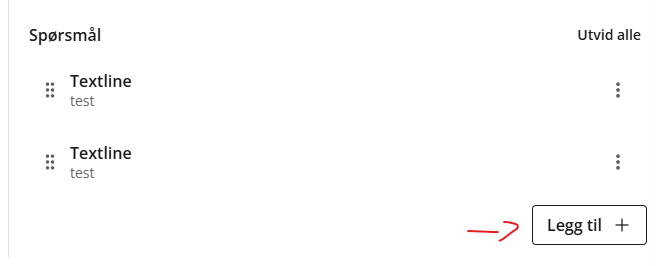
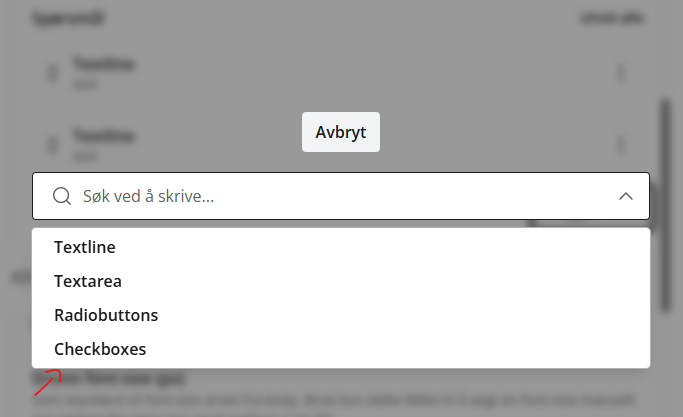
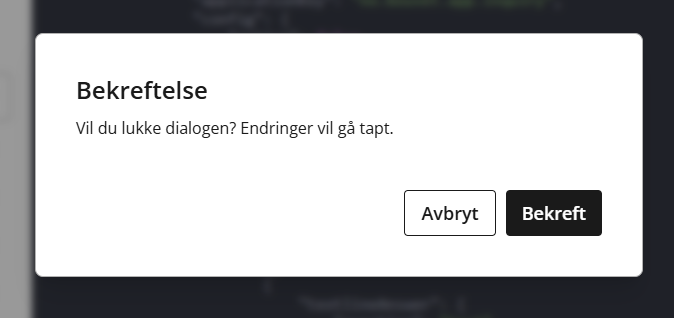
I’m encountering an issue when trying to use an OptionSet inside of an app’s siteconfig. Specifically when you select an option from the dropdown it brings up a confirmation box as if one was closing the editing pop-up.
Only way to continue then is to choose the cancel option, if not it will actually close the editing pop-up fully.
Haven’t tested other places that could hold OptionSets (parts/content-types) yet, but I assume this issue is related to the siteconfig specifically being opened in a pop-up.
However, there is another thing I’ve noticed when testing. The OptionSet items that I’m testing here contain a CheckBox input field.
When adding an item and leaving the CheckBox unchecked, it won’t save that property on the node. If you check the box, then it will save the property with value “true” as expected. But if you check and uncheck it again, then it will save the property with value “false”.
I believe XP7 versions of Content studio would always save those CheckBox properties with values “false” or “true”. But now an unchecked CheckBox can lead to two different outcomes, either being saved with value “false” or not being saved at all.
I’m not sure if this new behavior is fully intended or not?